Audio To Text

Clear definition

What is audio to text online and how does it work?

What is audio to text online? It is the process of using speech recognition to turn a recorded or spoken voice into written words that you can read, review, and reuse.

The basic idea

Audio to text describes the conversion of spoken language into written text through an online service or software tool.

People and purposes

Who uses audio to text?

Different people use written transcripts to search, summarize, document, or repurpose spoken material without replaying the source for every detail.

Students and researchers

A lecture, interview, or field recording contains useful details that are difficult to capture while listening.

A searchable text draft makes it easier to highlight quotes, organize notes, and return to the original context.

what is audio transcription
Content teams

A podcast, webinar, or voice memo needs to become a working script, article outline, or caption draft.

Audio to text provides a starting document that editors can shape for the intended audience and channel.

transcribe audio to text examples

Businesses and meeting owners

A discussion includes decisions, questions, and follow-up items that should not depend on one person’s memory.

A transcript creates a reviewable record that can support summaries and action tracking.

audio to text online

People managing personal recordings

A voice note or spoken reminder contains information that is easier to handle as written text.

Converting audio to text makes the content easier to scan, copy, and organize with other notes.

voice message to text whatsapp

The workflow

How does the conversion work?

An online audio-to-text workflow usually moves through three practical stages, from source audio to a text draft that a person can check.

  1. 1

    Provide the audio

    The process begins with a recording or live voice source. Clear speech, limited background noise, and a usable recording improve the starting conditions.

  2. 2

    Recognize the speech

    The system analyzes the audio, separates speech from silence and noise, and predicts the words being spoken using language patterns.

  3. 3

    Review the text

    The resulting transcript should be checked for names, technical terms, punctuation, speaker changes, and places where the recording was unclear.

Set expectations

What can and cannot it do?

Audio to text is useful for creating a first written version, but it is not the same as guaranteed perfect understanding or editorial judgment.

  • It may mishear unclear speech

    Overlapping voices, accents, low volume, compression, and background noise can lead to missing or incorrect words.

    WorkaroundUse the clearest available recording and compare uncertain passages with the original audio.

  • It does not know every proper noun

    Names, brands, specialist vocabulary, and local references may be transcribed incorrectly when they are uncommon in the language model.

    WorkaroundSearch for likely errors and correct them against a glossary, source document, or subject-matter reference.

  • It does not create a finished article

    A transcript generally follows the spoken source rather than adding structure, fact-checking claims, or deciding what matters most.

    WorkaroundEdit the text into notes, captions, a summary, or another format suited to the final audience.

  • It cannot recover speech that was never recorded

    Silence, clipped audio, heavy distortion, and inaudible sections cannot be reconstructed reliably from the file alone.

    WorkaroundMark uncertain passages and, when possible, return to the speaker or original recording.

From sound to text

What does the result look like?

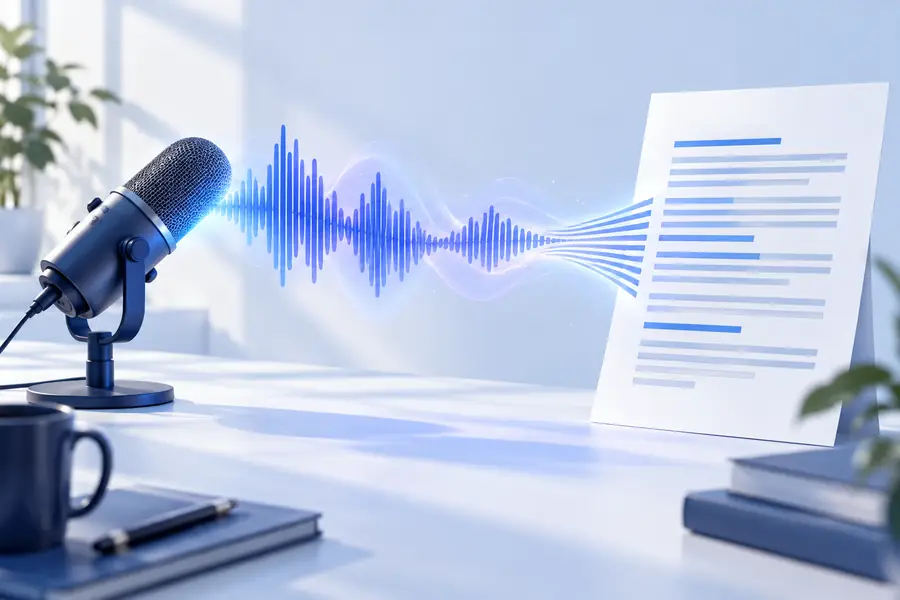
The difference is easiest to see when a spoken source is turned into a readable draft while preserving the meaning that a reviewer can verify.

  • Spoken recording
  • Text draft

The output is a draft for review, not a substitute for listening.

Audio waveform representing a spoken recording
Readable transcript representing converted speech

A useful distinction

The measurable side of the process

The core idea can be described with a few factual reference points rather than promises about perfect accuracy.

1 An audio recording or spoken input begins the workflow
1 source
2 Provide audio, recognize speech, then review the text
3 stages
3 Audio To Text publishes this site across six listed language locales
6 site locales

Start with your recording

Turn spoken ideas into usable text

Audio to text can give you a practical written starting point for notes, research, meetings, and content work. Bring the result into your normal editing process, then verify important details against the original recording.

Try audio to text
  • Create a text draft from spoken material
  • Review names, terminology, and unclear passages
  • Reuse the text for notes, summaries, or editing

Common questions

Audio to text online FAQ

These answers clarify what the term means, how the process differs from related concepts, and what to expect from an online workflow.

Audio to text means converting spoken words from a recording or live source into written language. The result is usually a transcript or text draft that can be reviewed, edited, searched, and reused.

An online service receives or accesses an audio source, analyzes the speech, and produces a written output. The quality depends on factors such as recording clarity, speaker overlap, language, vocabulary, and the amount of human review afterward.

The terms are closely related and are often used interchangeably. Audio to text emphasizes the conversion from a sound source to written words, while transcription can also describe the broader work of preparing, formatting, and checking that written record.

No. It can produce useful text while still making mistakes with noise, overlapping speakers, accents, names, technical terms, or missing audio. Important passages should be compared with the original recording before the transcript is treated as final.

You can use it as a starting point for notes, research, meeting records, captions, summaries, scripts, and content editing. The best final format depends on your audience and usually requires some cleanup after conversion.

Transcribe audio
Transcribe audio